


Carling Black Label
Varsity Cup 2025: predict the score, a rugby game, check-ins and promoter management.
Service 01 · Software
Custom campaigns that connect, engage and convert: sign-up, games and rewards on the phone, with the data in one place.


Seen in Carling Black Label Vuse Flying Fish
Seen in Carling Black Label Budweiser
Seen in Heineken Jose Cuervo Flying Fish
Seen in Carling Black Label




Shift checklist

Loyalty, data and marketing in one place
Build loyalty, collect data and personalise your marketing, all in one platform. Guests sign up once, with their consent recorded, so you can invite them back.
End to end
You set up the venue screen and the mobile journey in one place. Each step below shows what you set in Campaign Builder and what the guest sees at that moment.
Regions, one colour each through every step
Step 1 of 8
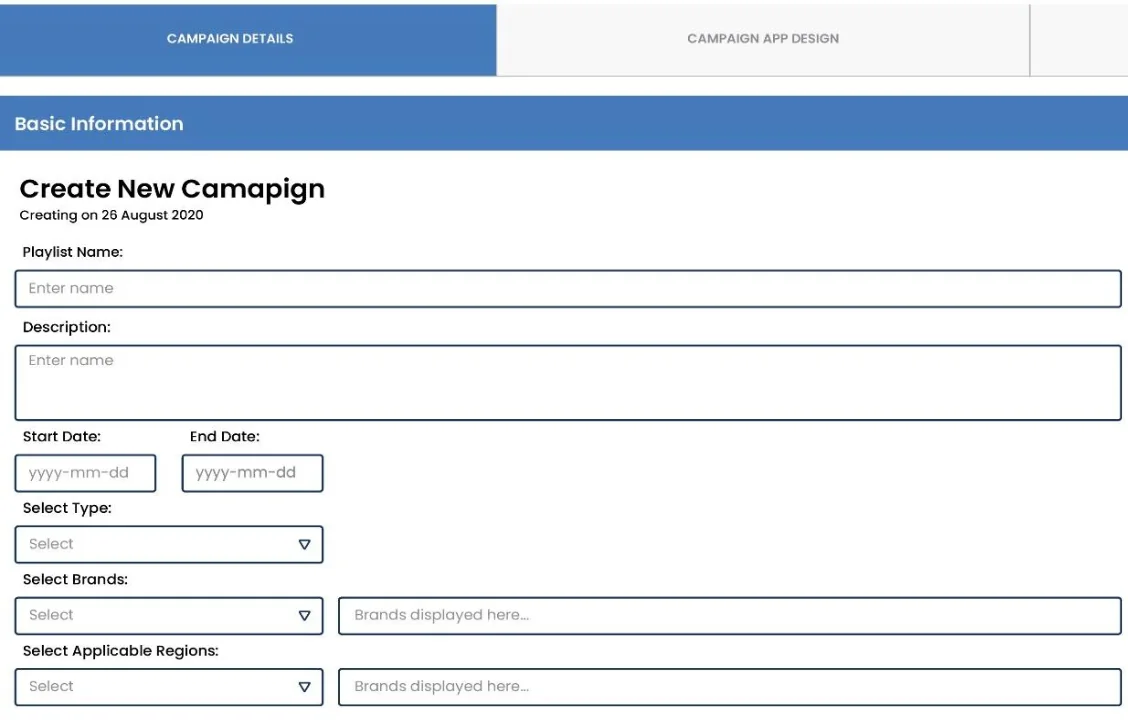
Name it, pick the brand, the dates and the regions. A live phone preview shows the guest's page as you build it.
Step 2 of 8
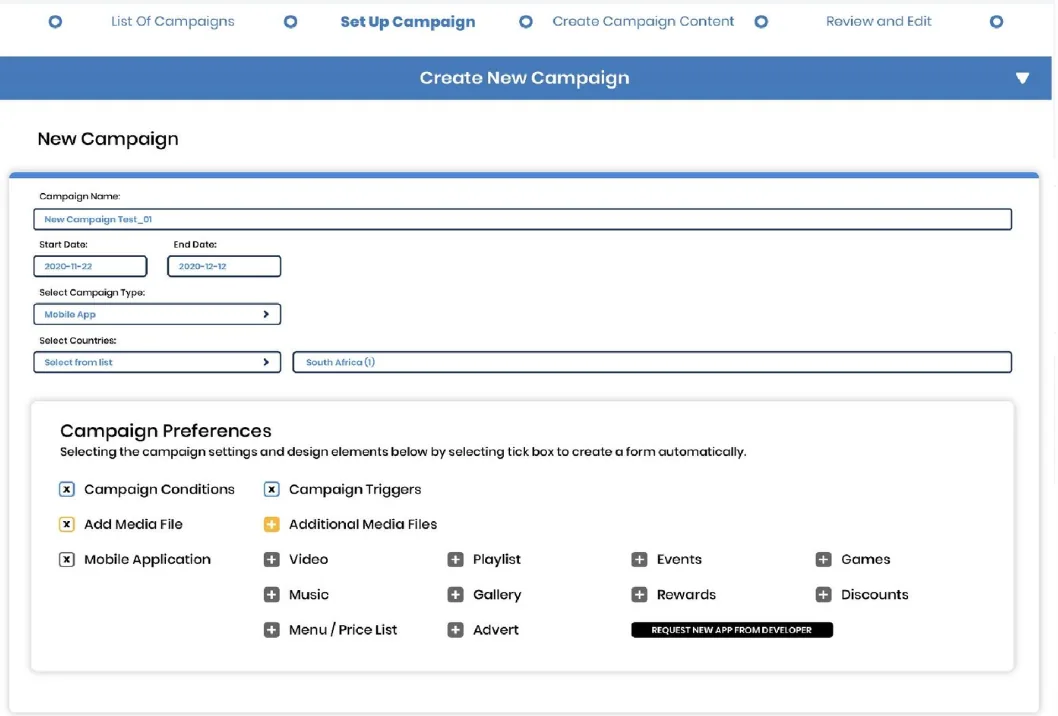
Pick the type of campaign (sport, music, festivals, events) and the way people take part: a score predictor, a game, a survey, a leaderboard, check-ins or a photo challenge.
Step 3 of 8
Instant wins, vouchers, points and prize draws, in tiers, so each prize is earned. Stock is tracked, so nothing is promised that isn't there.

Step 4 of 8
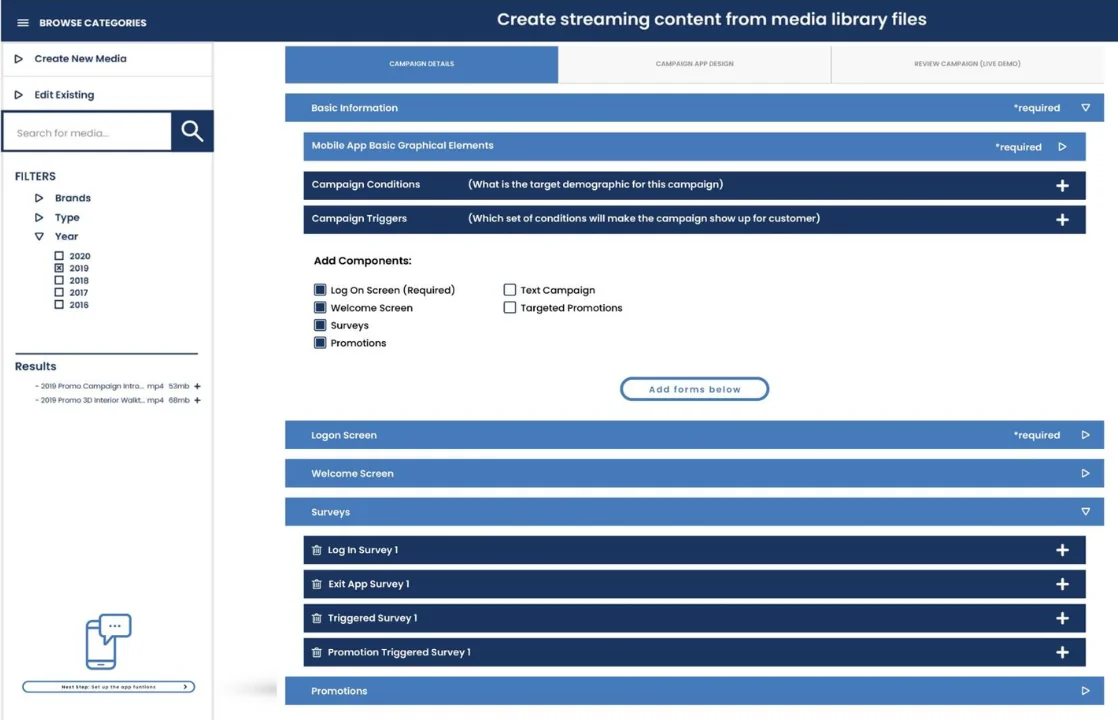
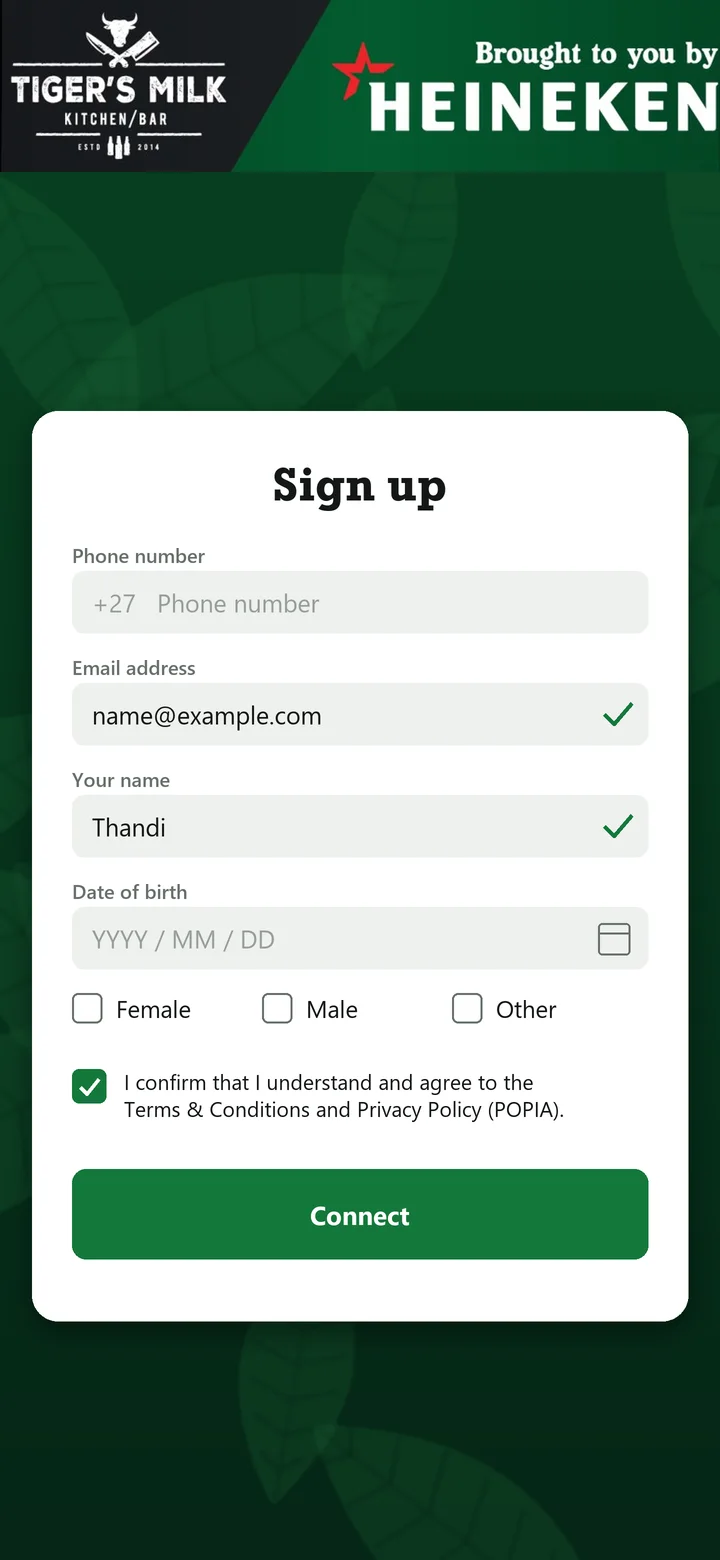
Add the screens the journey needs: the log-in screen (always on), a welcome, a survey question and promotions. Consent is recorded with every sign-up.
Step 5 of 8
Pick the kind of outlet, from premium bars and taverns to liquor stores, choose venues from the list and target them by tier: Bronze, Silver, Gold or Platinum.

Step 6 of 8
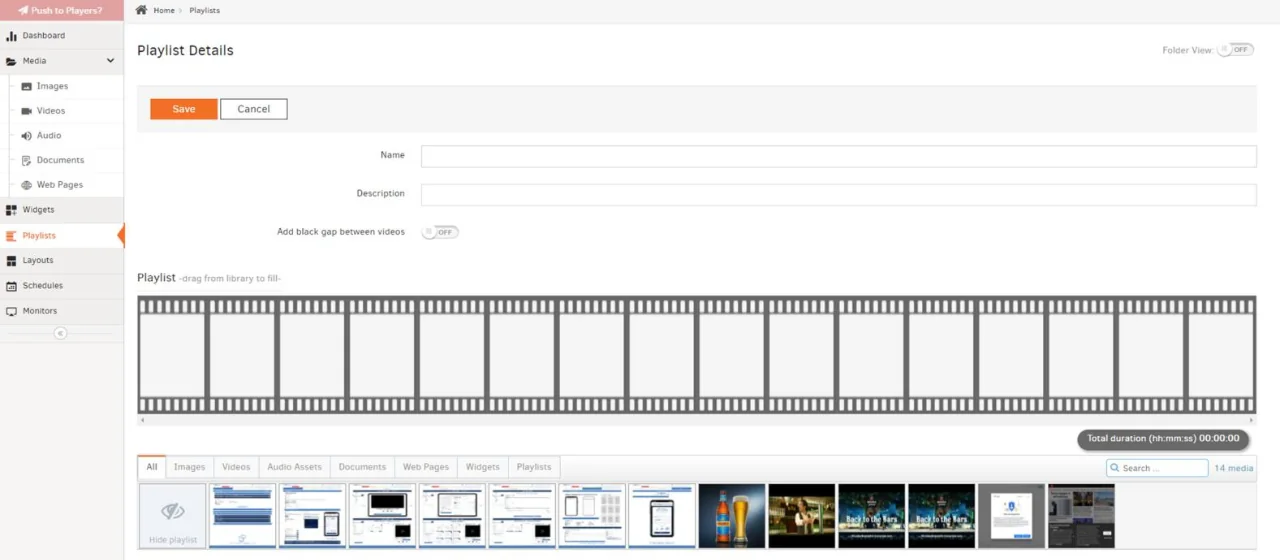
Upload the videos and artwork once. They play on the venue screens in the format you choose: full screen, L-shape squeeze back or bottom scroller, next to the live game.
Venue screens
L-shape squeeze back · Format demonstration
Bottom scroller · Format demonstration
Step 7 of 8
Preview the whole campaign before publishing. Screens and phones go live together, on the dates and in the venues you chose.

Step 8 of 8
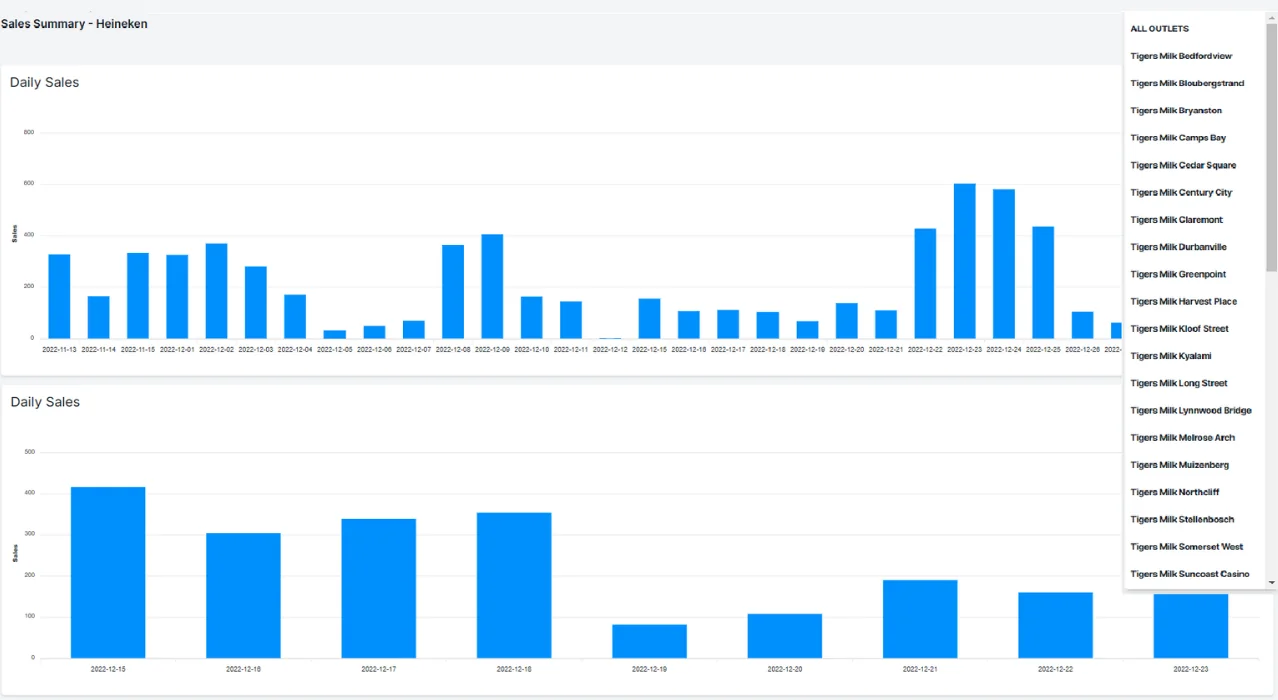
Sign-ups, plays, answers and redemptions come back live, venue by venue, with proof of play for every screen. Export the data or report straight from the dashboard.
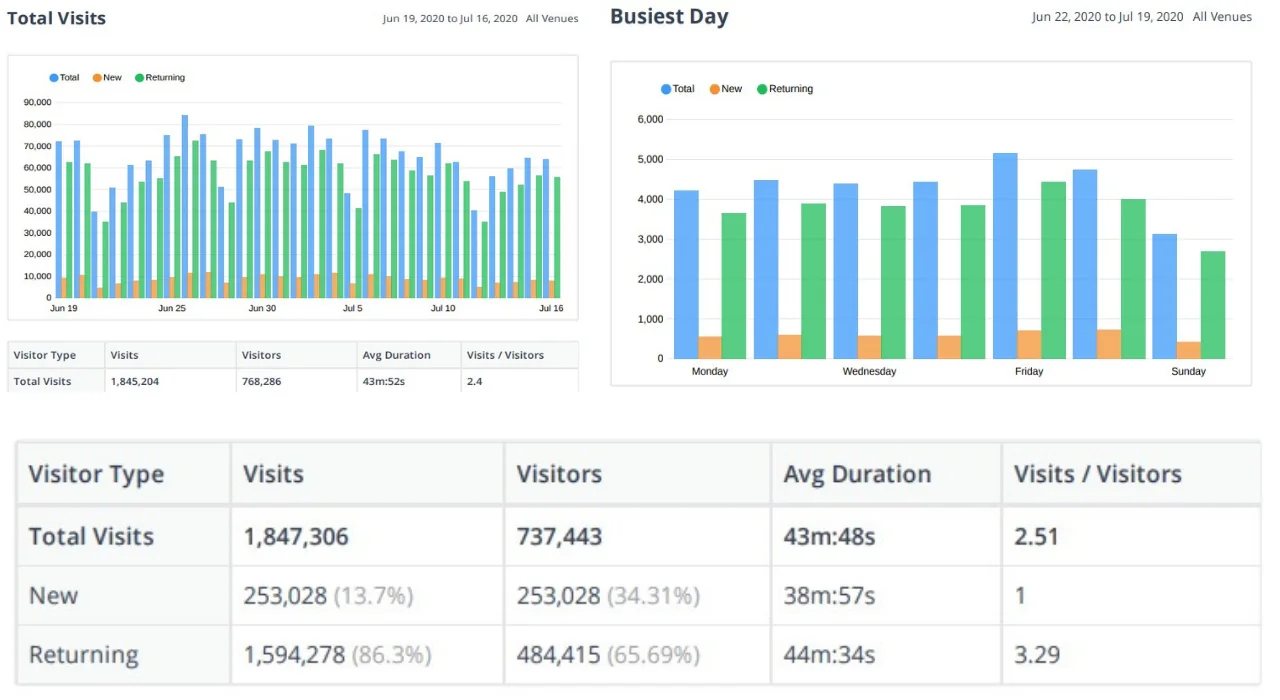

Builder screens show sample data. Try the live demo
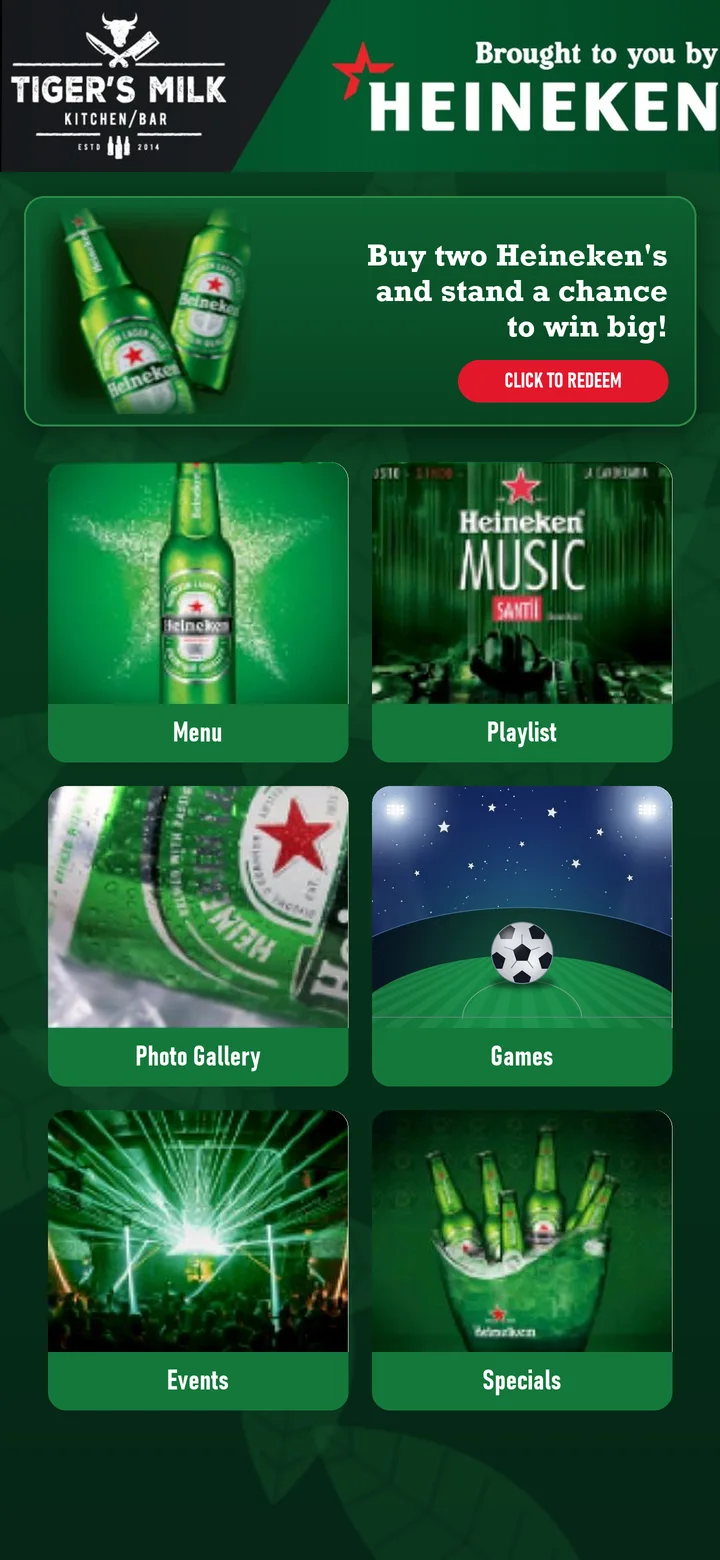
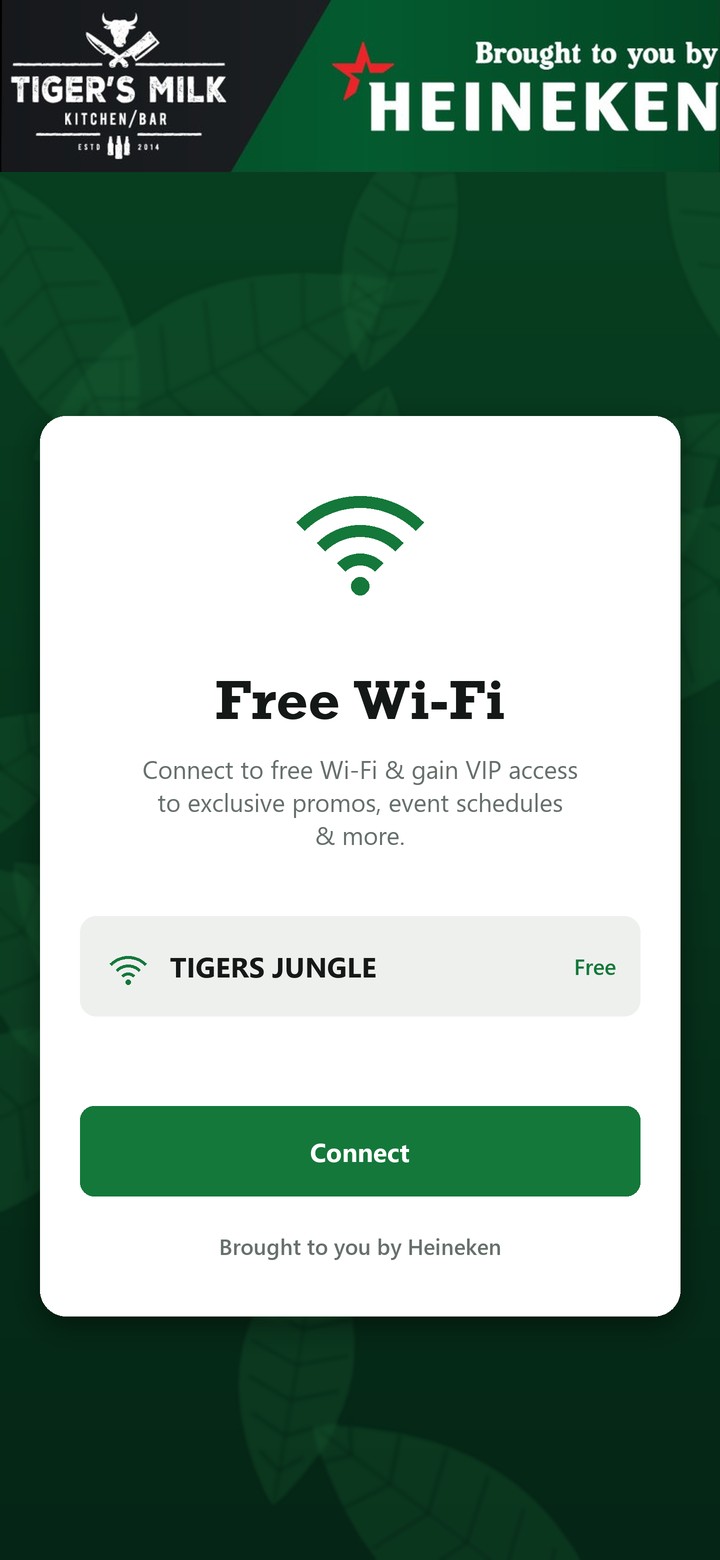
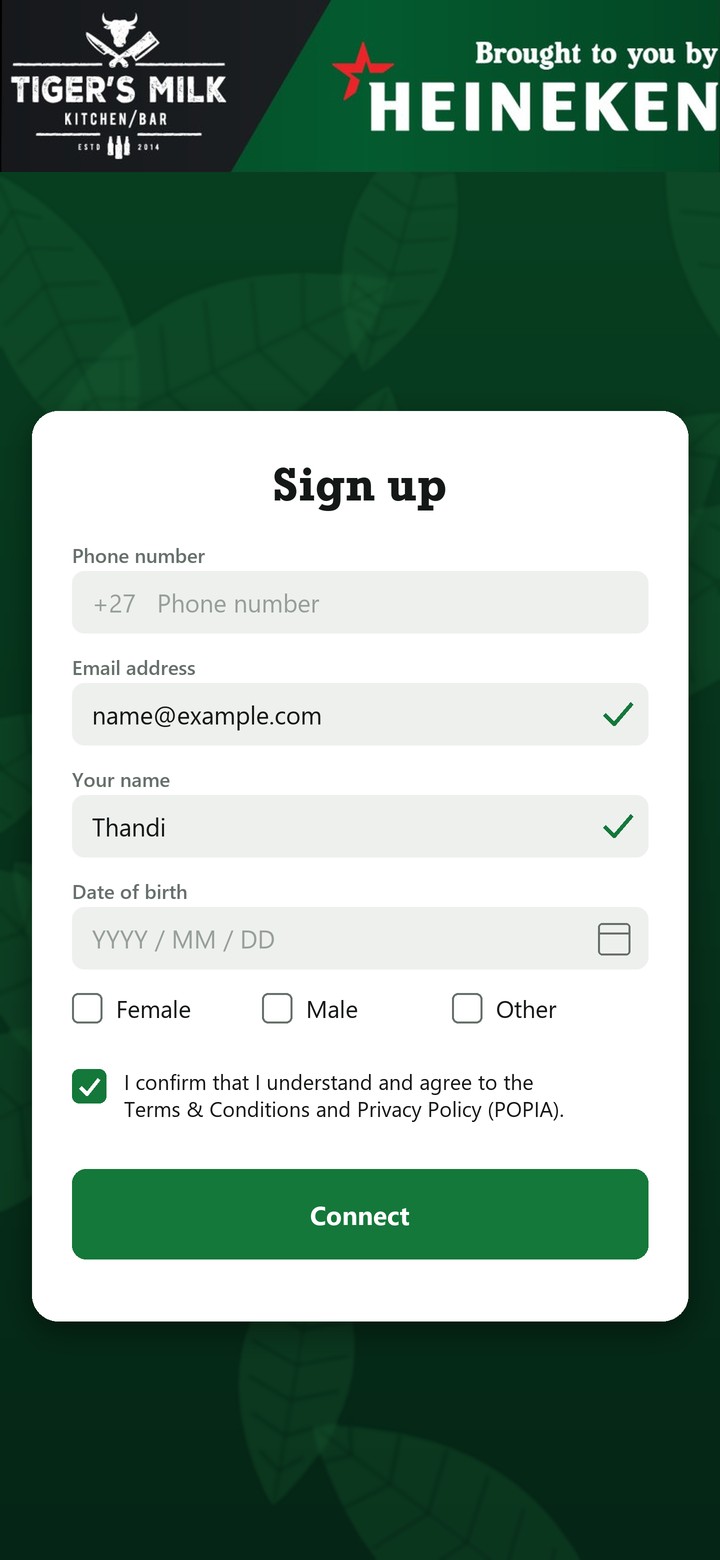
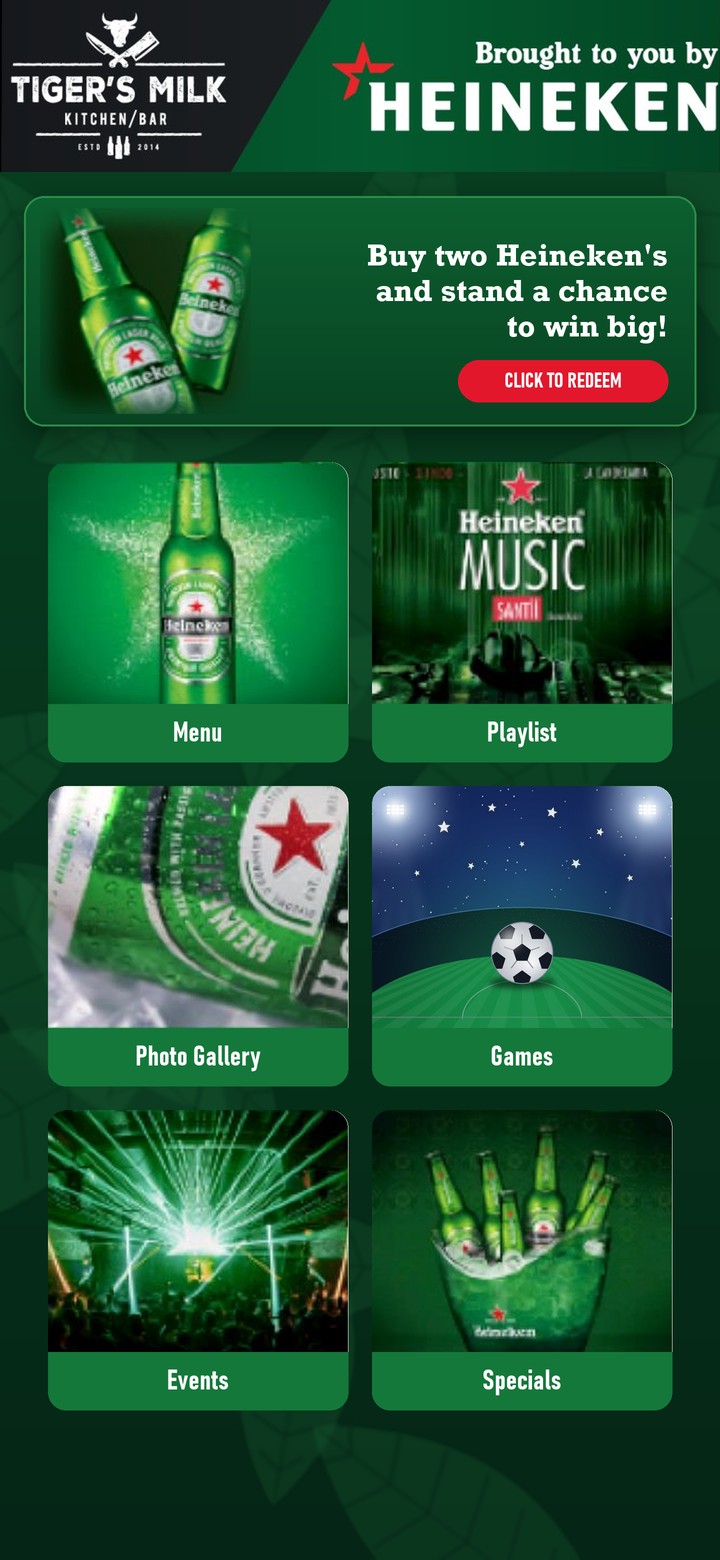
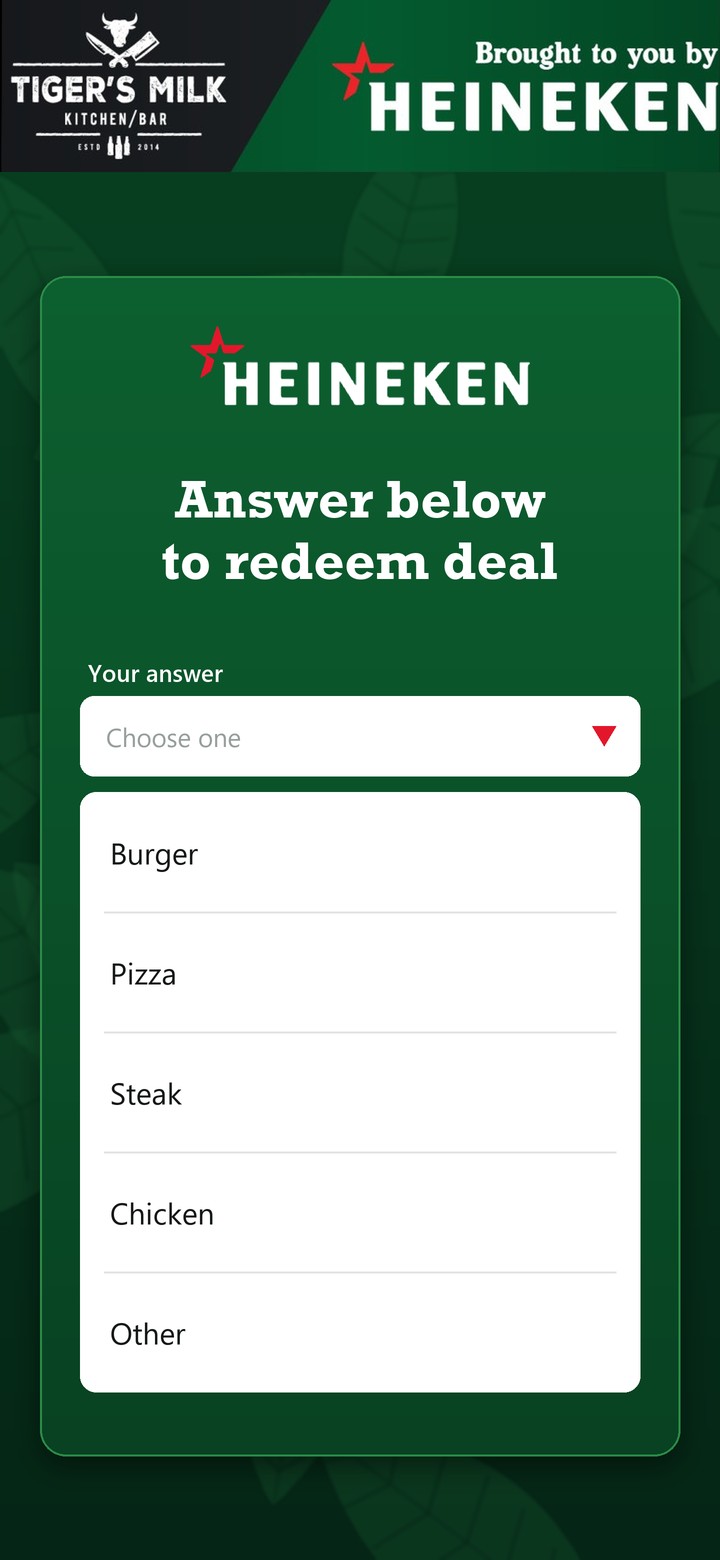
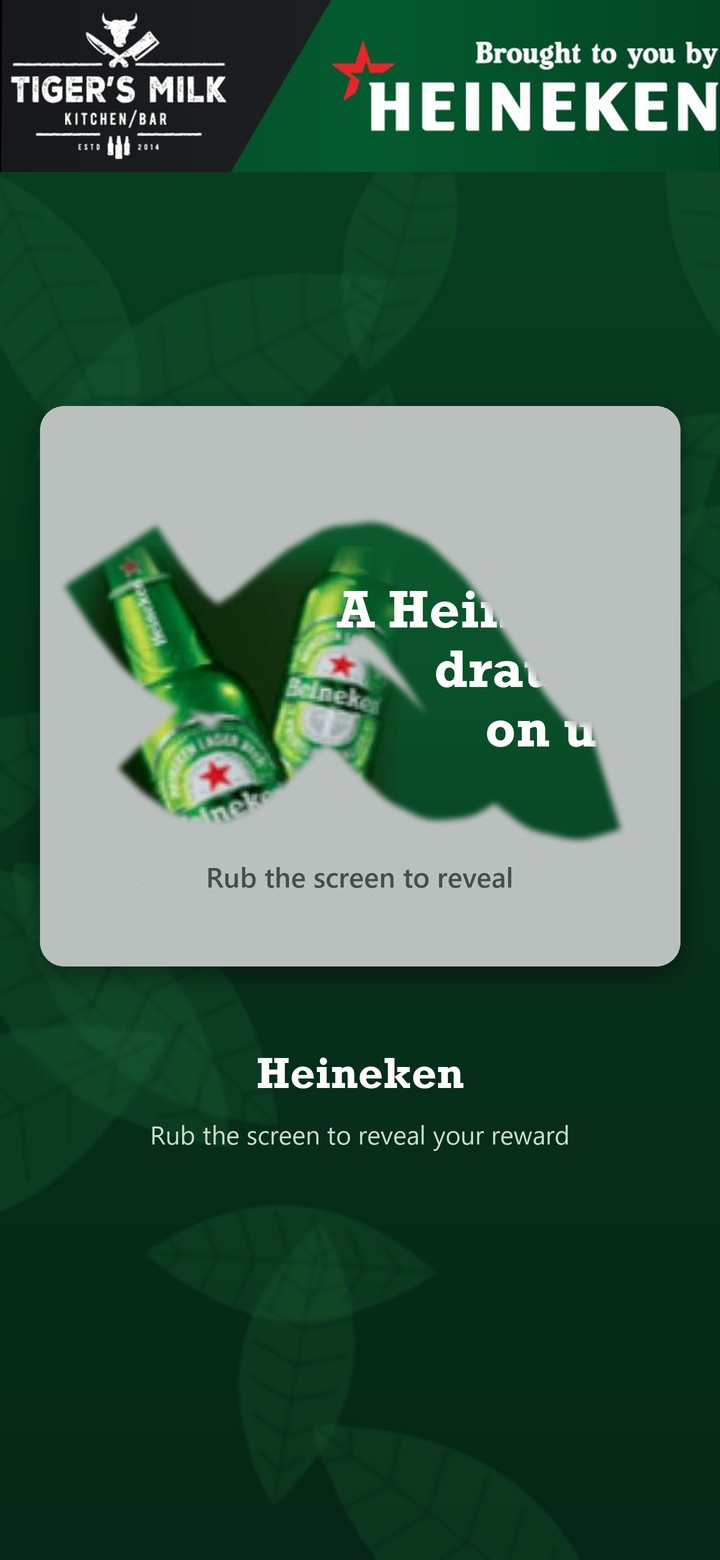
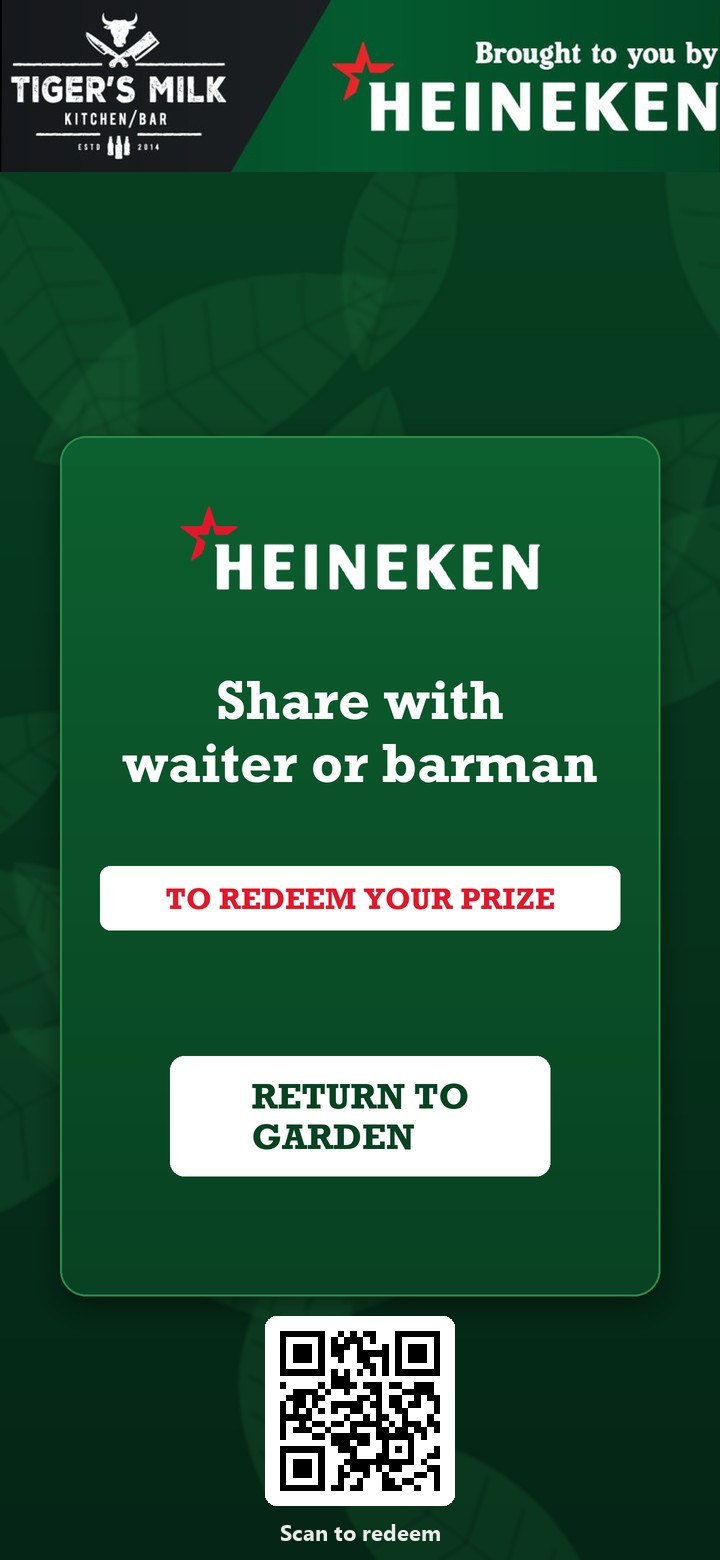
A campaign is a short journey on the phone. Here is one we ran with Heineken, screen by screen.
Campaign Builder · Step 1 of 6
Pick the channels
Where the campaign runs
Both: the screen draws people in, the phone does the rest.
Campaign Builder · Step 2 of 6
Pick the brands
Brands in this campaign
Each brand gets its own banner, colours and offers.
Campaign Builder · Step 3 of 6
Pick the venues
Channels
Regions
48 venues selected
Western Cape 28 Gauteng 20 Example
Campaign Builder · Step 4 of 6
Set the tiers
What each tier gets
Campaign Builder · Step 5 of 6
Choose the mechanic
How people take part
More ways to play
Sports
Predictions and polls
Drinks games
Reveal
Lifestyle
Explore
One quick question unlocks the play, so every entry adds insight.
Campaign Builder · Step 6 of 6
Create the brand kits
Brand kit per venue Example
BronzePrizes

SilverPrizes and bar kit


GoldFull kit and POS


By region WC 28 GP 20Ships to 48 venues before go-live
Demo Campaign Builder, with sample data. Try the live demo
Games and features
Each game is a short loop: play, reveal, try again or win, then a code to take to the bar. These screens were designed for Castle Lager and Coca-Cola.


Always-on channels
People join channels for the genres they love, from sport to comedy, and come back for the content, games and rewards inside them.
Guests pick their genres when they sign up, on WhatsApp or the web, with no app to download.
Points move guests from Bronze to Silver to Gold, and badges mark what they've done. Both unlock more channels.
Sponsor a channel, or place content, a branded game or a reward in the channels that suit your audience.
See the 14 channels and brand banners
Example. The Channels app, with sample data.
Choose where your brand appears. The phone shows each placement as you go.
You appear in 1 channel: Hello Brand Channel. Placements: sponsored channel, branded game, reward and content card.
Example Sample data. Locked channels show guests what to reach next, and your placements are there when they arrive.
Everything a campaign can do
Switch on what the campaign needs. Everything runs on the same sign-up, so every play, answer and reward lands against the same guest.
Spin and win, scratch cards, kick and win, dice and more, in your brand, with no app to download. See all our games
Seen in Carling Black Label Vuse Flying Fish Jameson
Score predictors and quizzes. Guests can challenge a friend for points, which brings two people back instead of one.
Seen in Carling Black Label Budweiser

Selfies with the product, photo booths and shares to social, rewarded for the reach they bring.

One question to unlock a reward, or a full survey. Insight people share willingly.
Seen in Carling Black Label Vuse Jameson Savanna

Sports news, live scores, music and podcasts, carrying your banners and video stings, so there's a reason to open the app between campaigns.
Seen in Jameson Tiger's Milk
A code shown to the staff, or a voucher from partners across supermarkets, airtime and data, restaurants, fuel and fast food.
Seen in Carling Black Label Jameson Vuse Jose Cuervo
Every action earns points; levels and badges give guests a reason to keep going.
Seen in Budweiser Carling Black Label

Weekly prizes for the most points, with a live leaderboard that keeps the competition friendly.
Guests photograph the till slip to enter, so rewards follow real sales.
Seen in Budweiser

An in-app wallet and a built-in payment gateway for tickets, merchandise and cashless buying.
Seen in Truth Nightclub
One registration, with POPIA consent recorded, builds first-party data you are allowed to use.
Seen in Tiger's Milk Carling Black Label Klipdrift Jose Cuervo

Target by region, channel and venue tier, and send promotions only to the guests they suit.
Seen in Truth Nightclub

In-app notifications, SMS, email and WhatsApp invites, scheduled and personalised.

Share a QR code and both get free plays, so guests bring their friends in.
Seen in Carling Black Label Budweiser

Points for checking in at a venue, store or fan park, and proof of who came.
Seen in Budweiser Carling Black Label

Full screen, L-shape squeeze back or bottom scroller beside the live game, with the QR code that starts the journey.
Seen in Venue screens 2021–22 Carling Black Label Heineken Budweiser
Platinum, Gold, Silver and Bronze venues get the support and merchandise kits that fit them, delivered to the door.
Geo-located check-ins, stock counts, photos and live shift reports for promoters in venues.
Seen in Carling Black Label

Sell tickets, manage entry and link every guest to the campaign at the door.
Seen in Truth Nightclub
Registrations, plays, redemptions and venue activity in real time, with access only for the people you choose.
Seen in Carling Black Label Jose Cuervo

One-click export to Excel, or connect the data to your own systems.

See which venues, screens and rewards paid back. Audience analytics and ROI
Seen in Heineken Jose Cuervo
Loyalty and gamification
A campaign ends; loyalty doesn't have to. Guests keep their points, climb levels and collect badges across every campaign you run, and always-on content such as cricket, rugby and soccer scores gives them a reason to open the app in between.
Rewards can be vouchers, prizes delivered to the door, or collected in person with a QR code.
Every action earns both. Points are a lifetime score and never expire; credits are spent on rewards.
Example: 50 points, 10 creditsGuests move up the ranks and unlock access, experiences and better rewards.
Badges mark achievements, from finishing a challenge to going to an event, with bonus points and credits.
A live leaderboard shows the top players and keeps friendly competition going.
Staff and trade incentives
Points, badges and leaderboards work for staff, sales teams and trade partners too. Reward training, good work and the behaviour you want, and see the activity behind it.
We agree your goals and audience, then map the content, branding and how success is measured.
We set up the platform, points values and incentives, train your team leads and launch it internally.
We track take-up, performance and feedback, and adjust as it runs.
Each project says how far it got: results, results to follow, a concept or work in progress.
Varsity Cup 2025: predict the score, a rugby game, check-ins and promoter management.

The venue Wi-Fi journey above, at Tiger's Milk.

A centenary campaign: photo challenges, a sunset passport and till-slip rewards.

A white-label ticketing and membership platform.
 Hello Brand OS
The system every campaign runs on: plan, run, reward, report.
See who took part and what it was worth.
What Hello Brand does for a brand team.
Tell us about your brand and the venues you sell through. We will set you up in Campaign Builder.